

Adding Screens:
Click on a screen marker on the map to add a screen to your campaign.
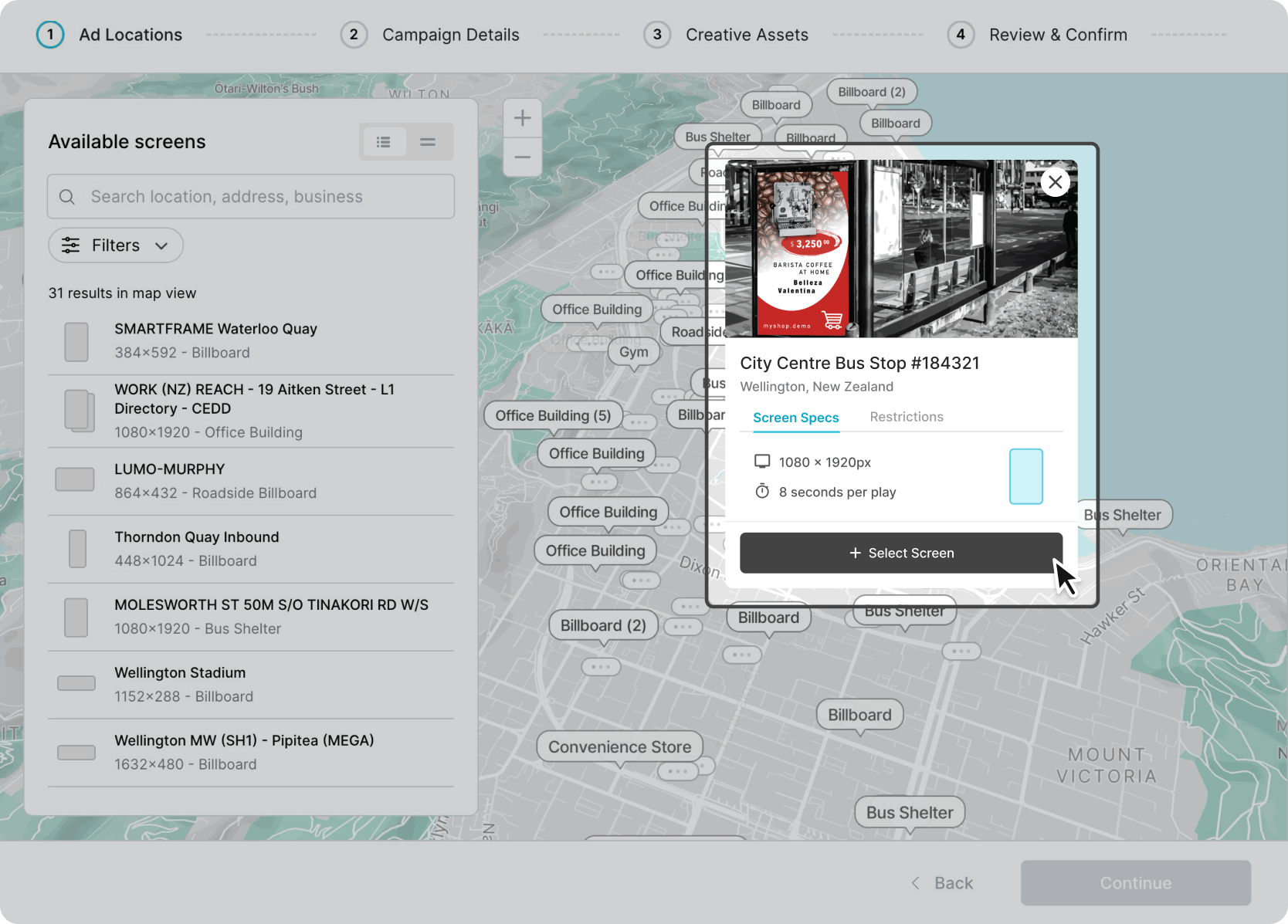
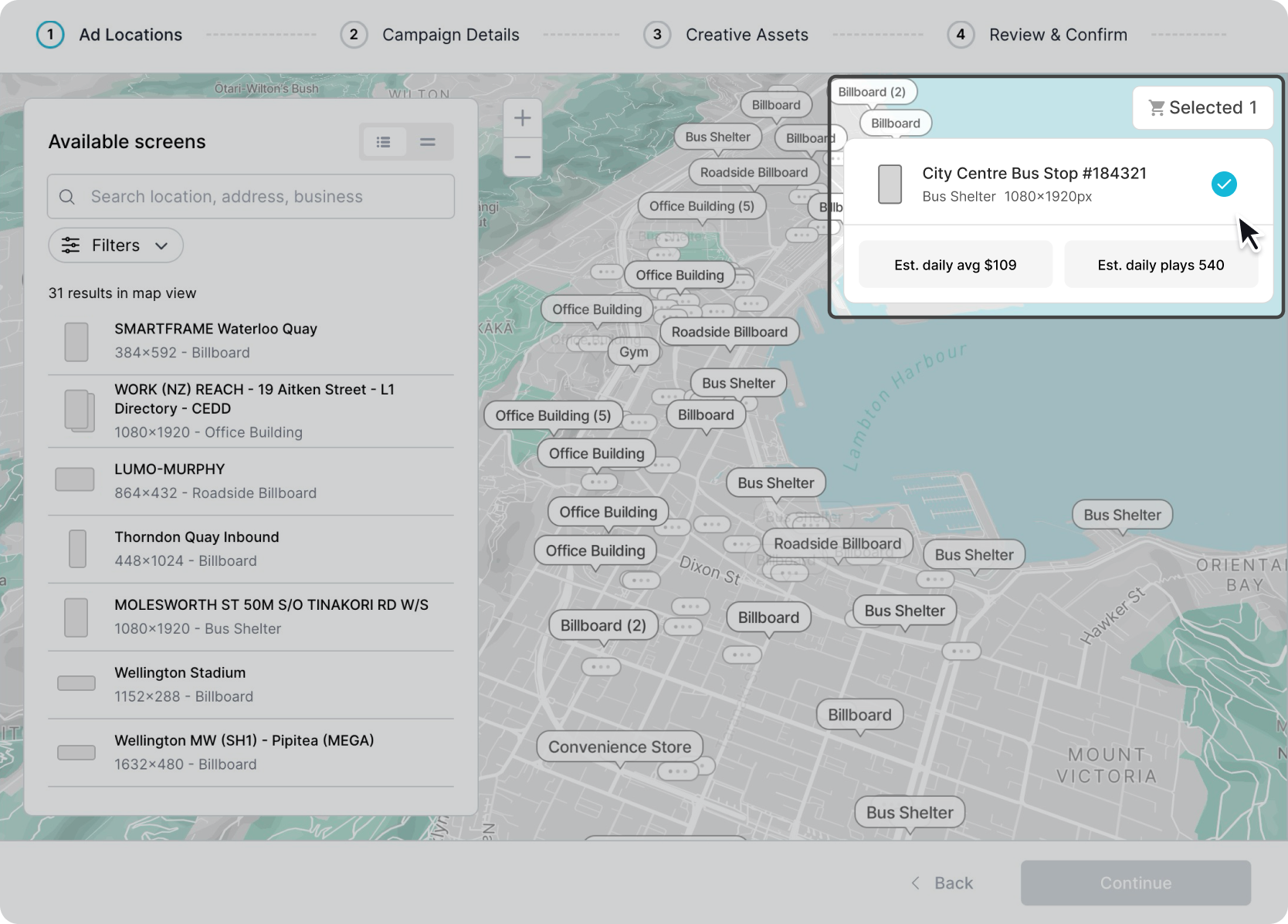
The screen you click on will be added to the selected screens section.
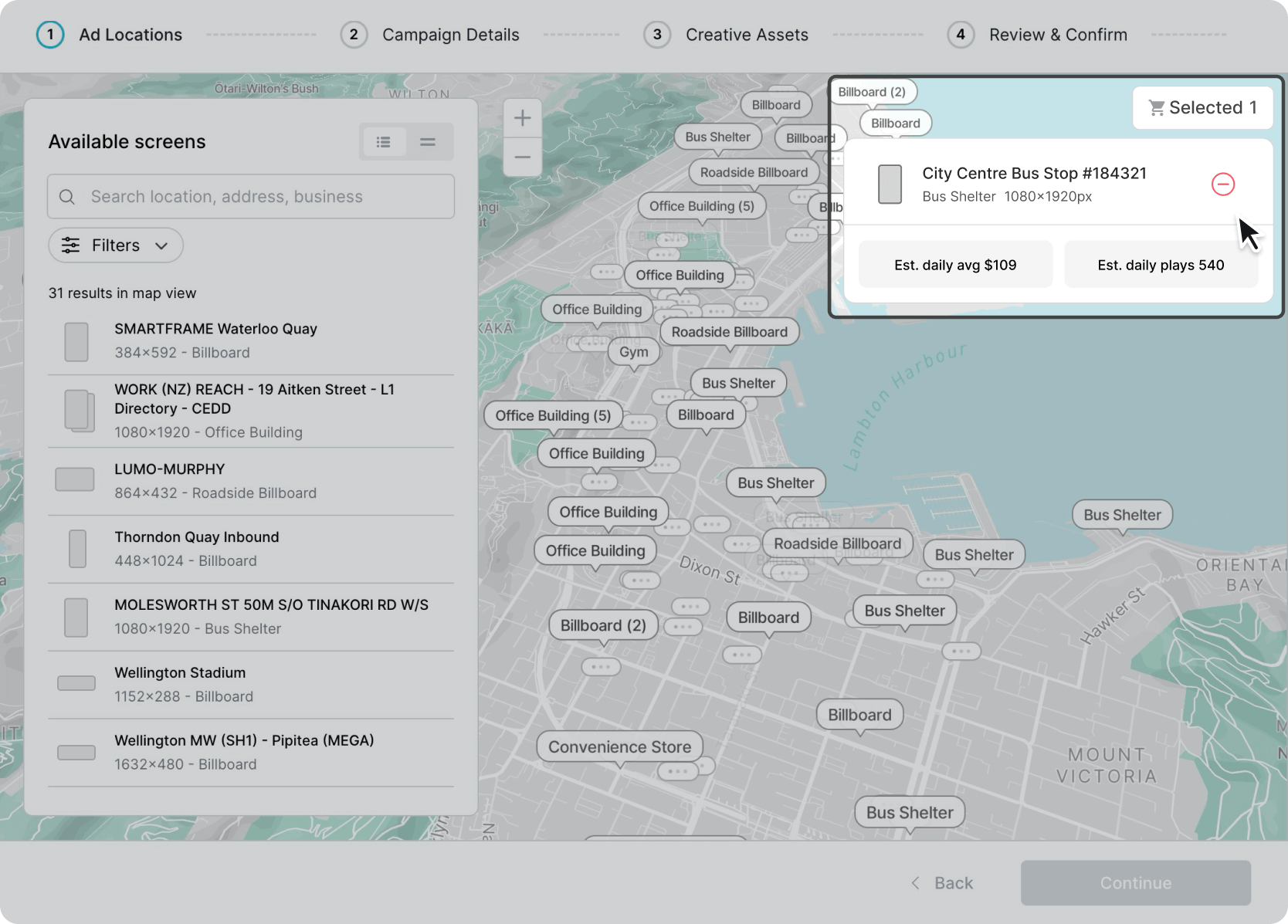
Removing Screens:
Click on the “–“ icon in the selected screens section to the right of the map to remove a screen from the selected screen section.
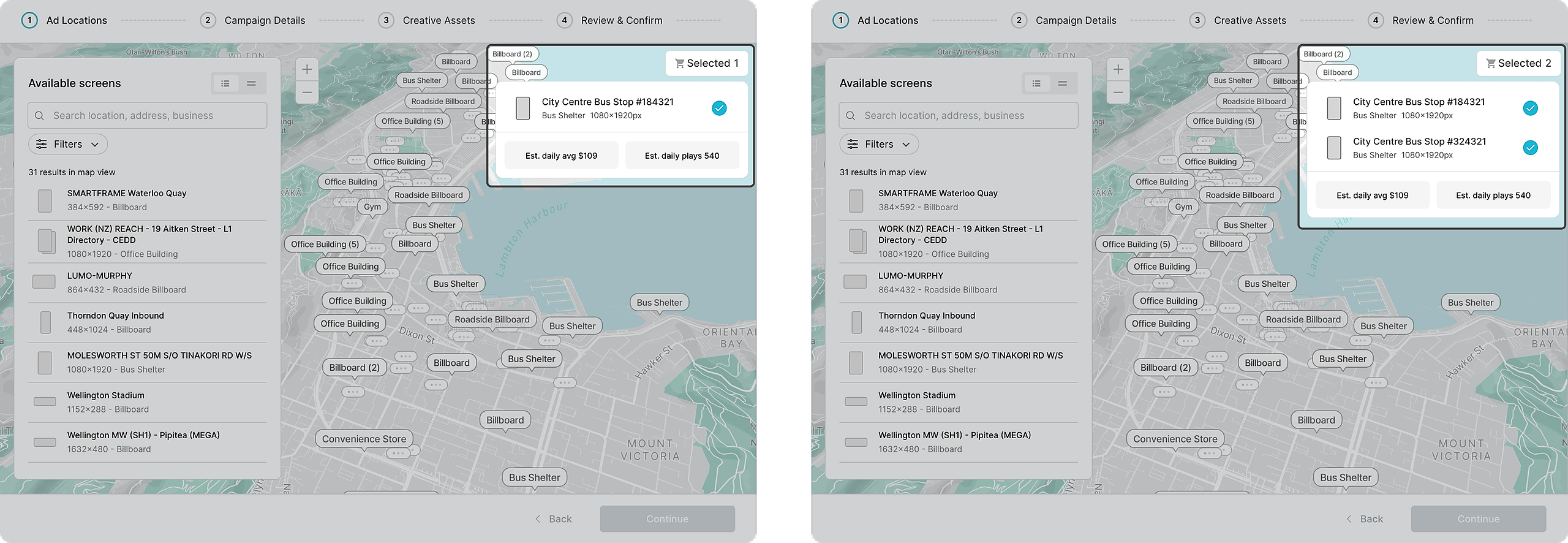
Estimated Budget and Estimated Ad Plays Adjustments
Once you’ve selected your screens, you’ll see confirmation of your selection and the estimated daily ad plays and budget on the top of the map. These estimates will adjust every time you change your screen selection.
If you don’t see a screen in the list on the left, trying moving around the map or zooming in further out as there might not be any available screens in the chosen area.
Once you've finalised your screen selection, click the 'Continue' button to save and move onto Step 2.