For example:
A bus shelter screen might be 1080px (w) x 1920px (h)
A billboard might be 1408px (w) x 704 (h)
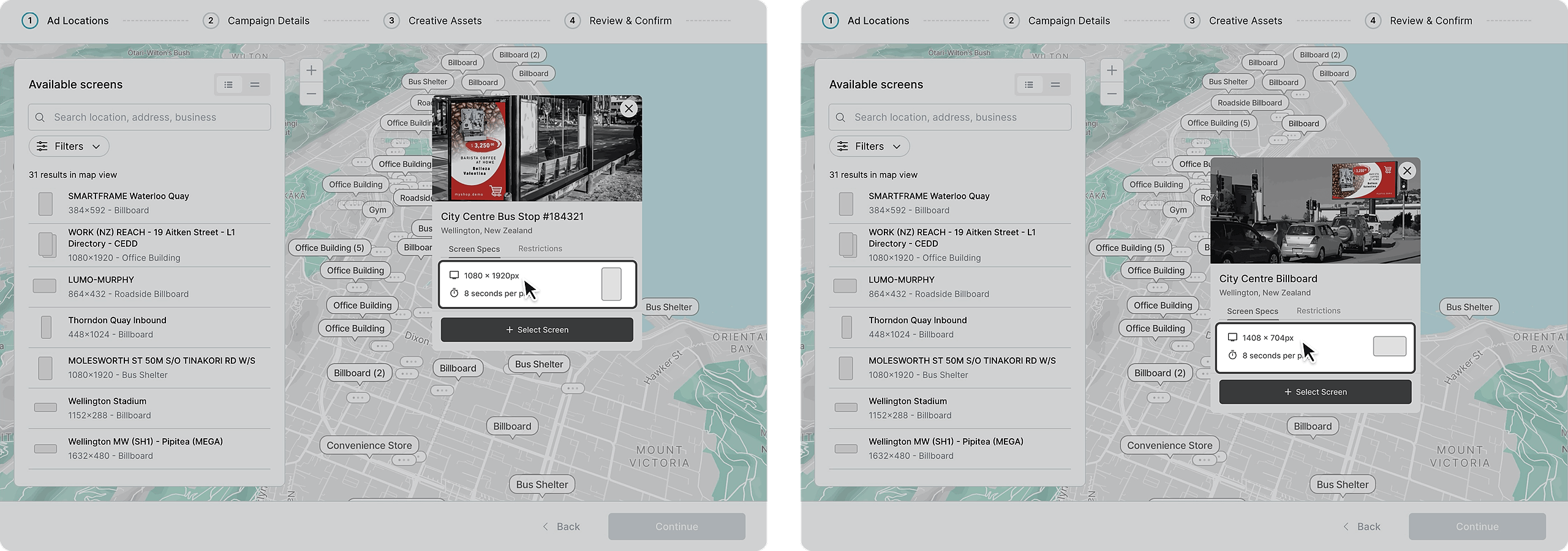
The relative height and width together is known as the aspect ratio.
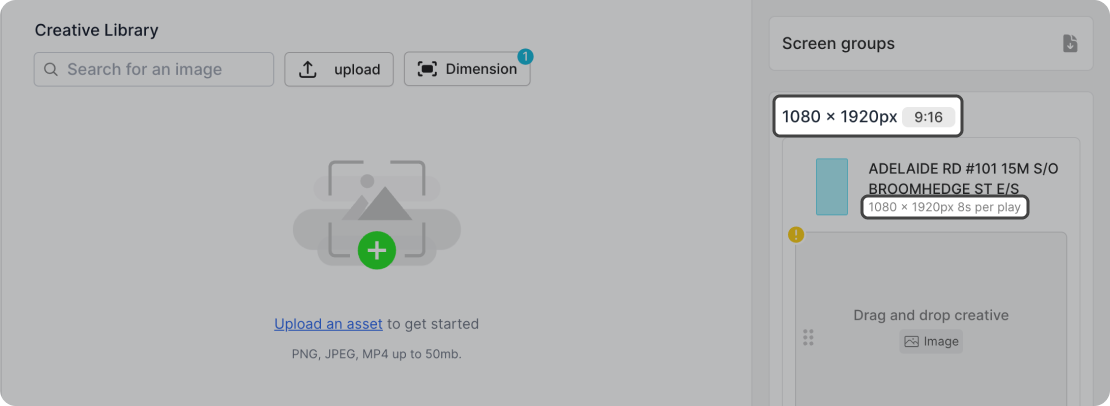
It’s important that the ads you have match the minimum pixel dimensions on the screens you’ve chosen. On the right-hand side of asset assignment, the pixel dimension is displayed (1080x1920) alongside the aspect ratio (9:16). Aspect ratio refers to the proportional relationship between an image's width and height.
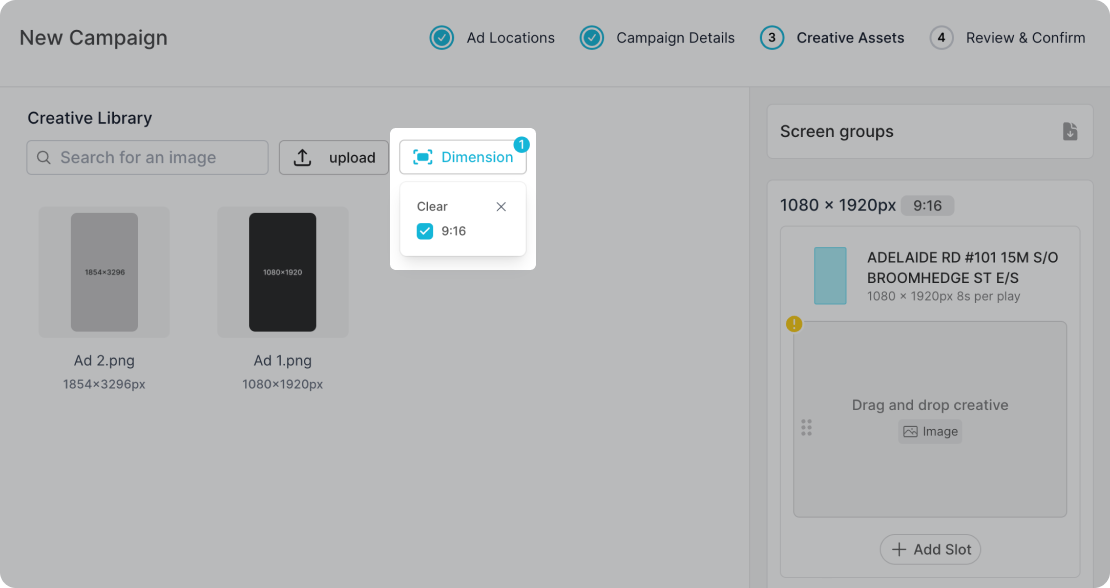
Filtering for Specific Aspect Ratios
The "Dimension" filter allows you to view all the assets that match the aspect ratio of your selected screen. This is automatically switched on. To deselect, simply click on the dimensions you wish to not filter out.
Assigning Assets Based on Aspect Ratio
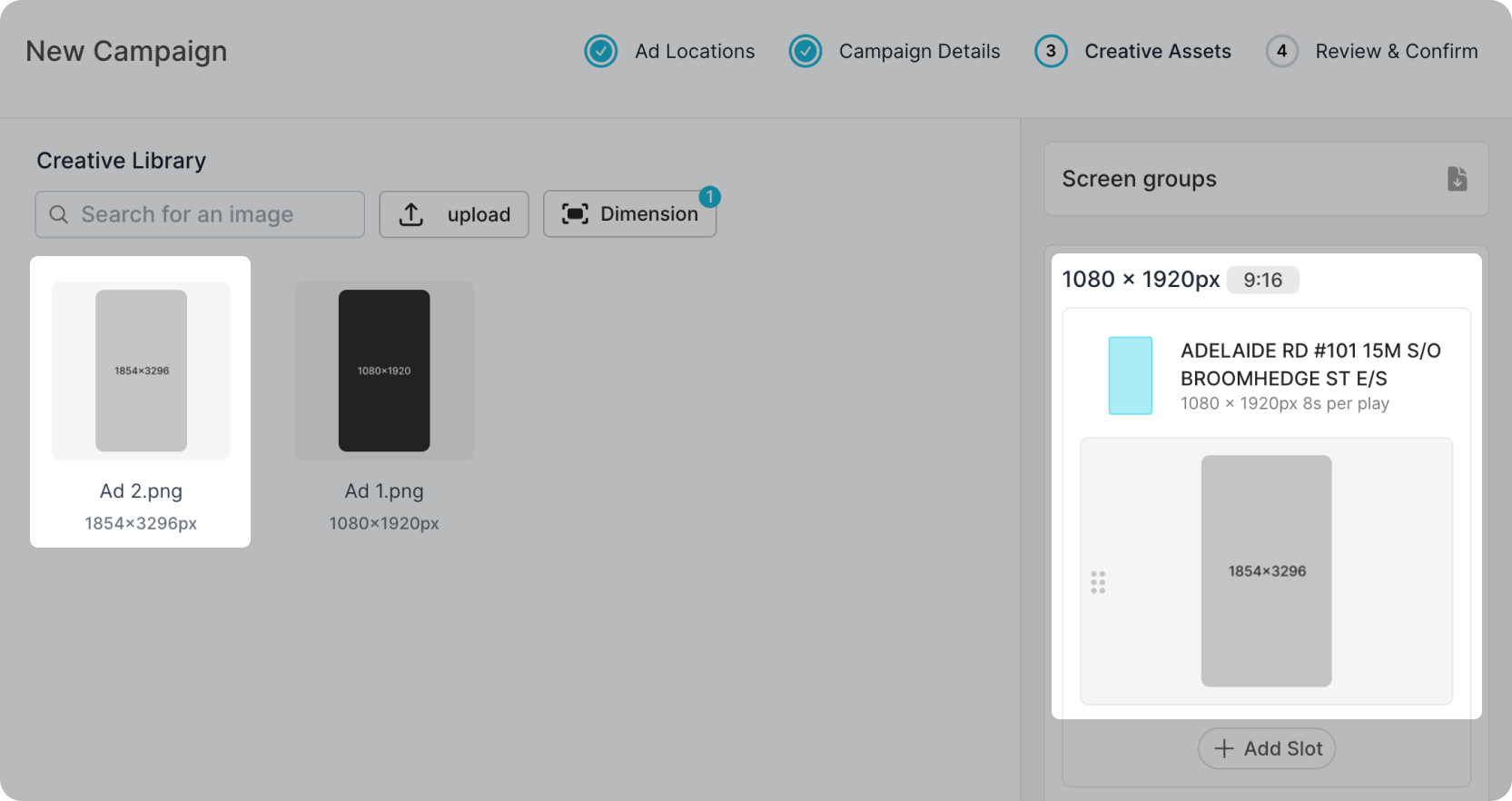
You can use an asset with the same aspect ratio as long as it exceeds the minimum pixel dimension requirements.
For example, if the indicated pixel dimension of a screen is 1080x1920 px an asset that matches the aspect ratio can be used.
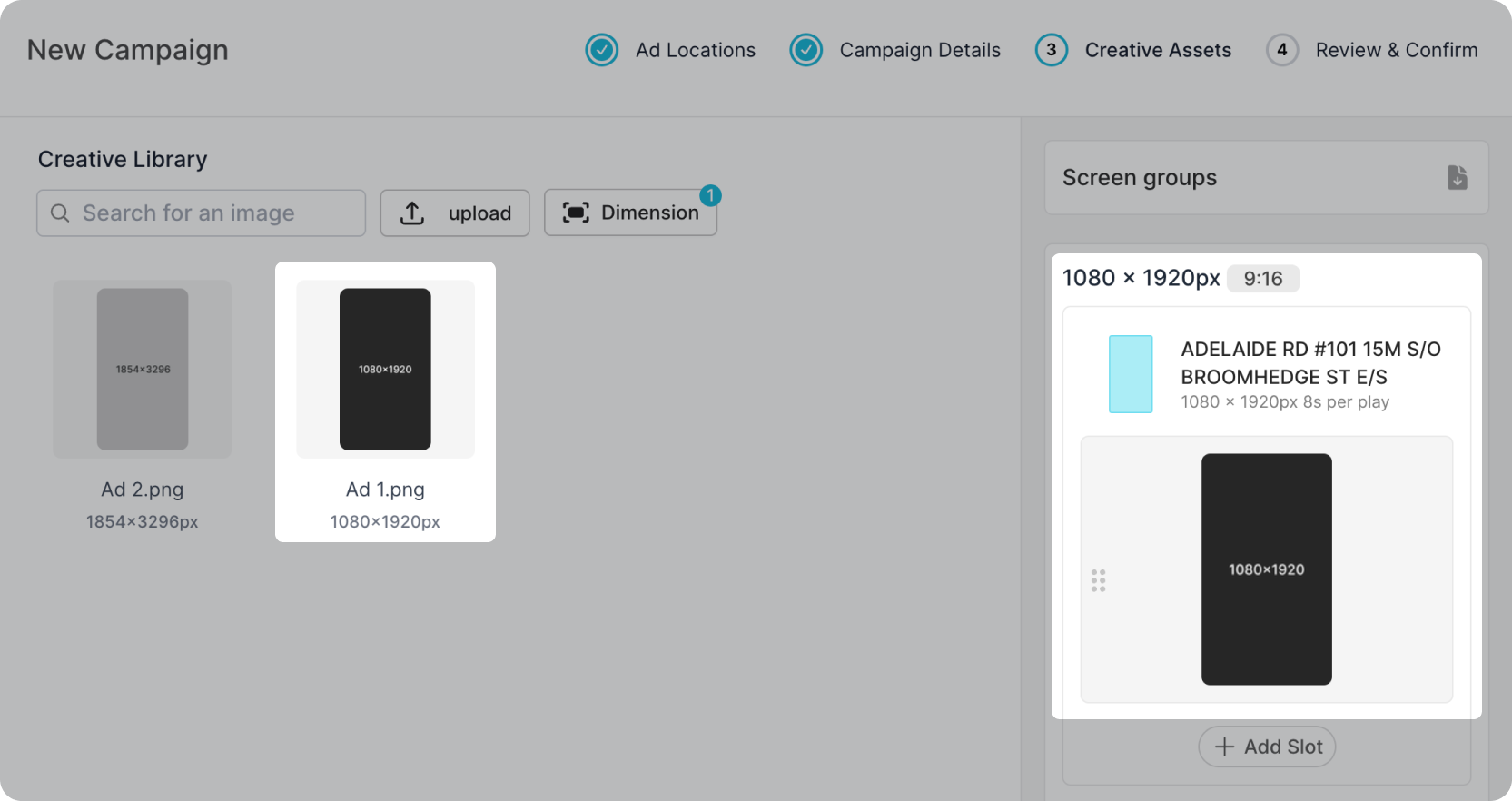
However, a larger asset like 1854x3296 px can also be used as it matches the aspect ratio 9:16 (as displayed right next to the dimension requirements).