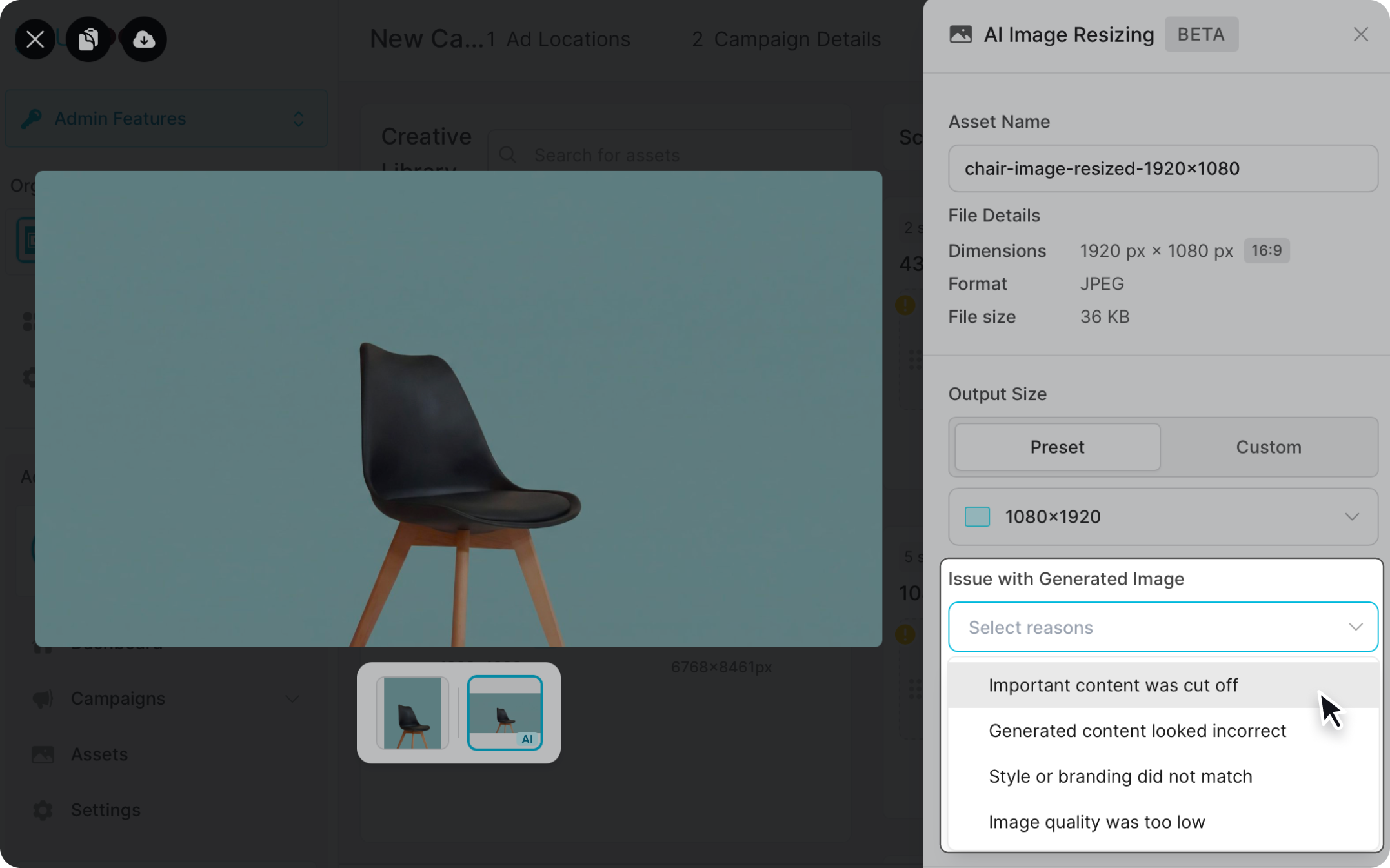
If your creative asset doesn't match the selected screen's dimensions, you can use AI resizing to fit it. You can resize an image either by:
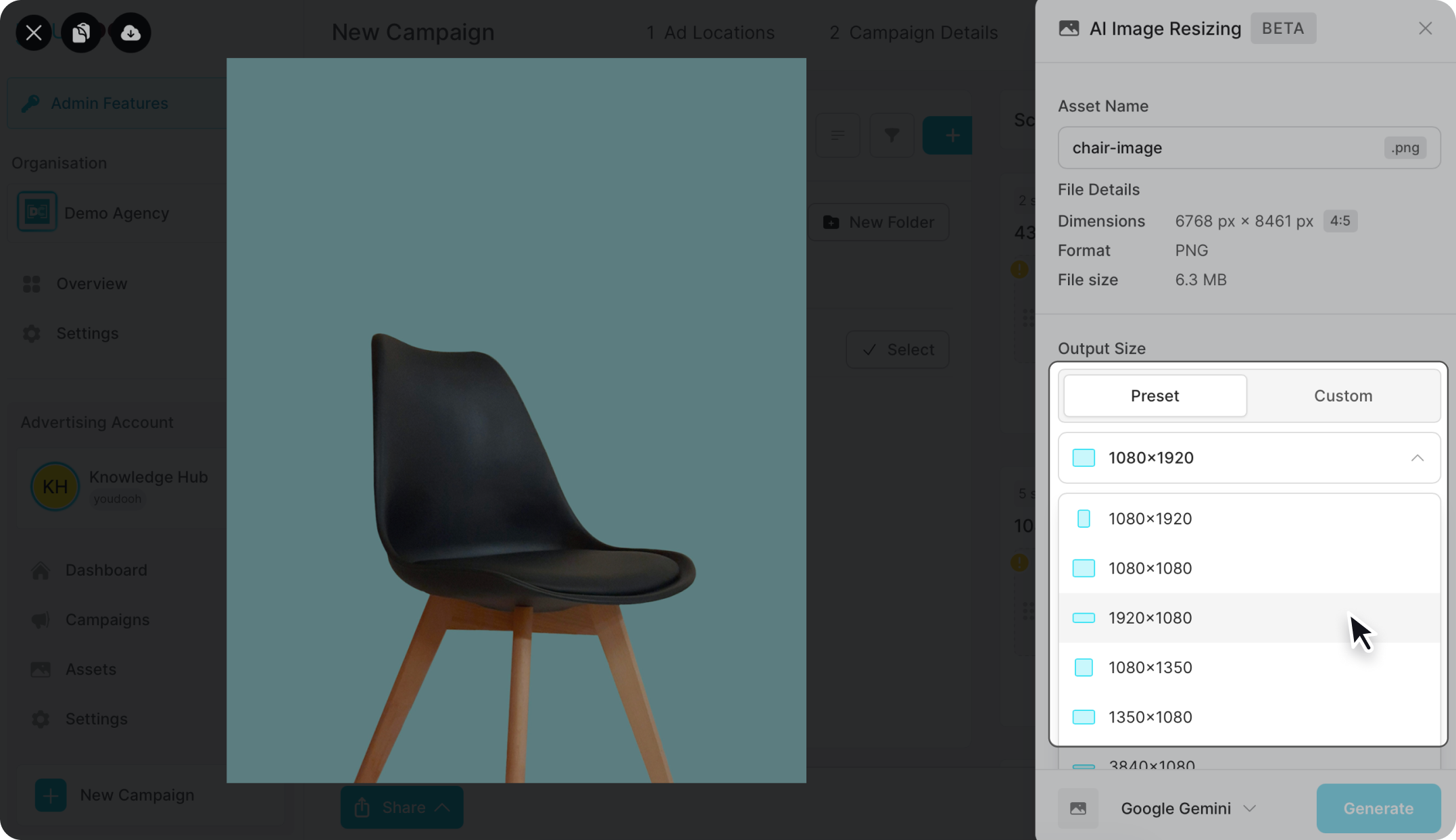
Option 1 - Resize from the creative
In step 3 Asset Assignment, select the creative you want to resize.
Select AI resizing.
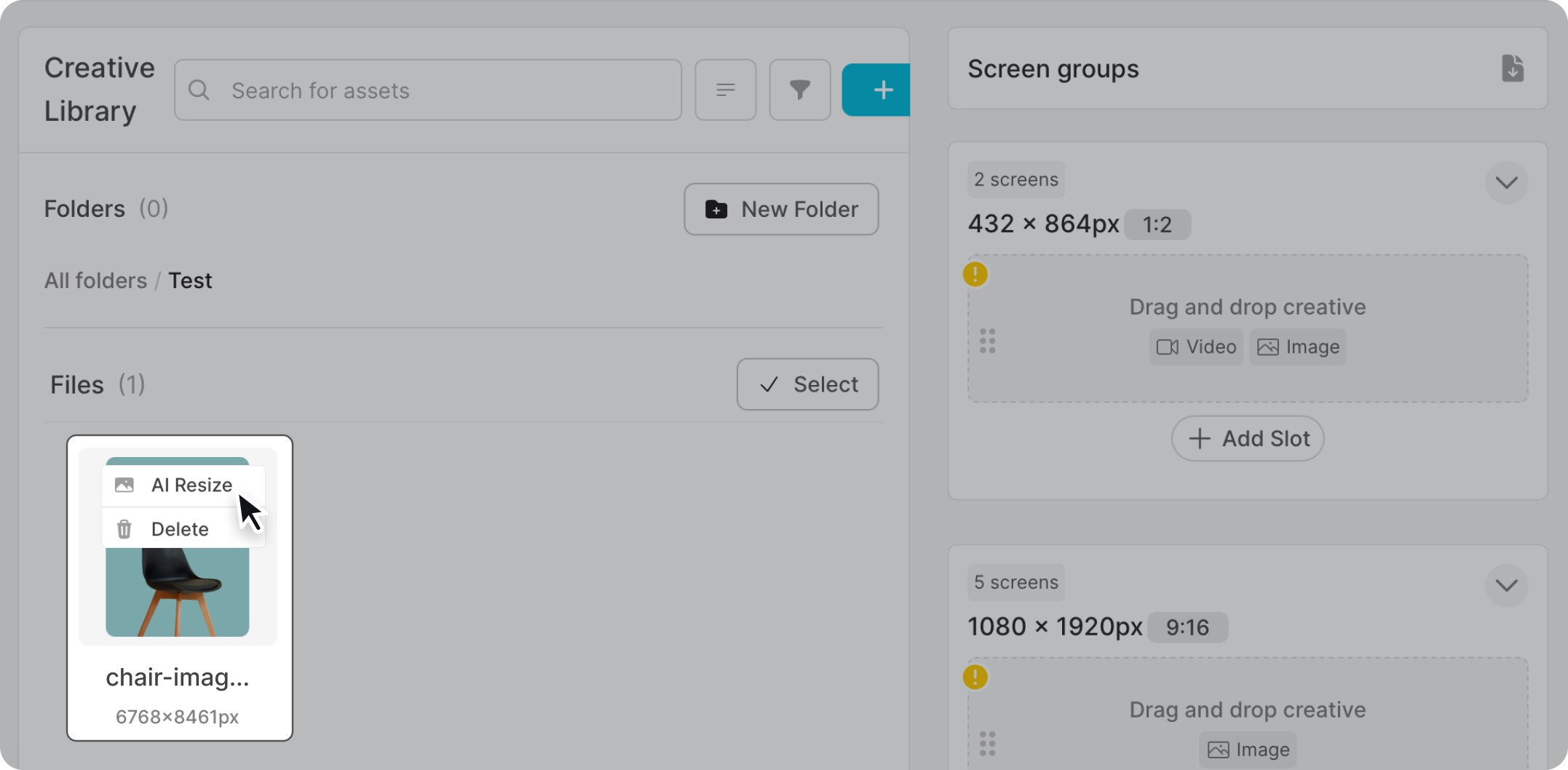
Choose the size you want to change the image to.
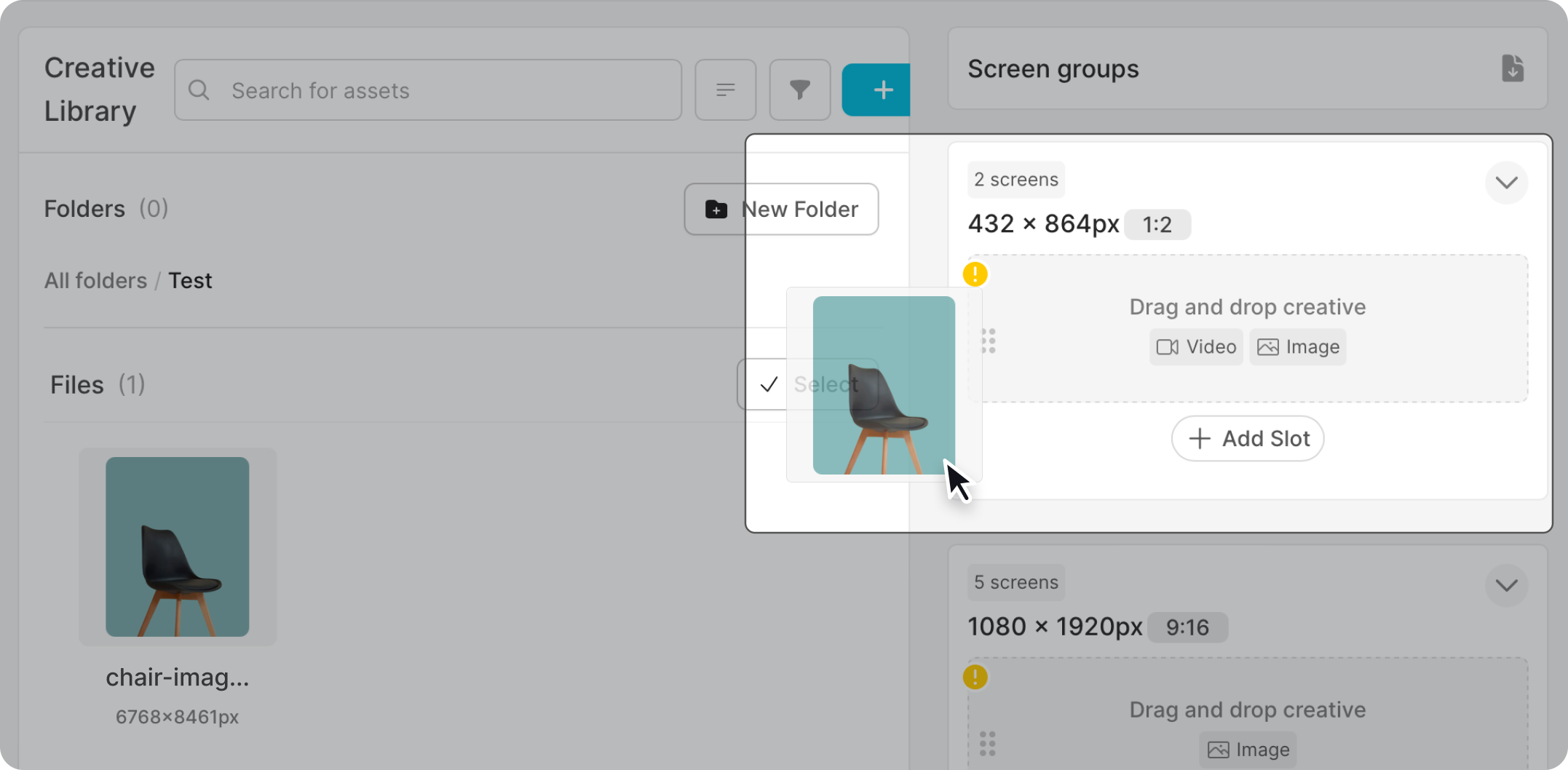
Option 2 - Resize while assigning a screen
Drag the creative you want onto the screen.
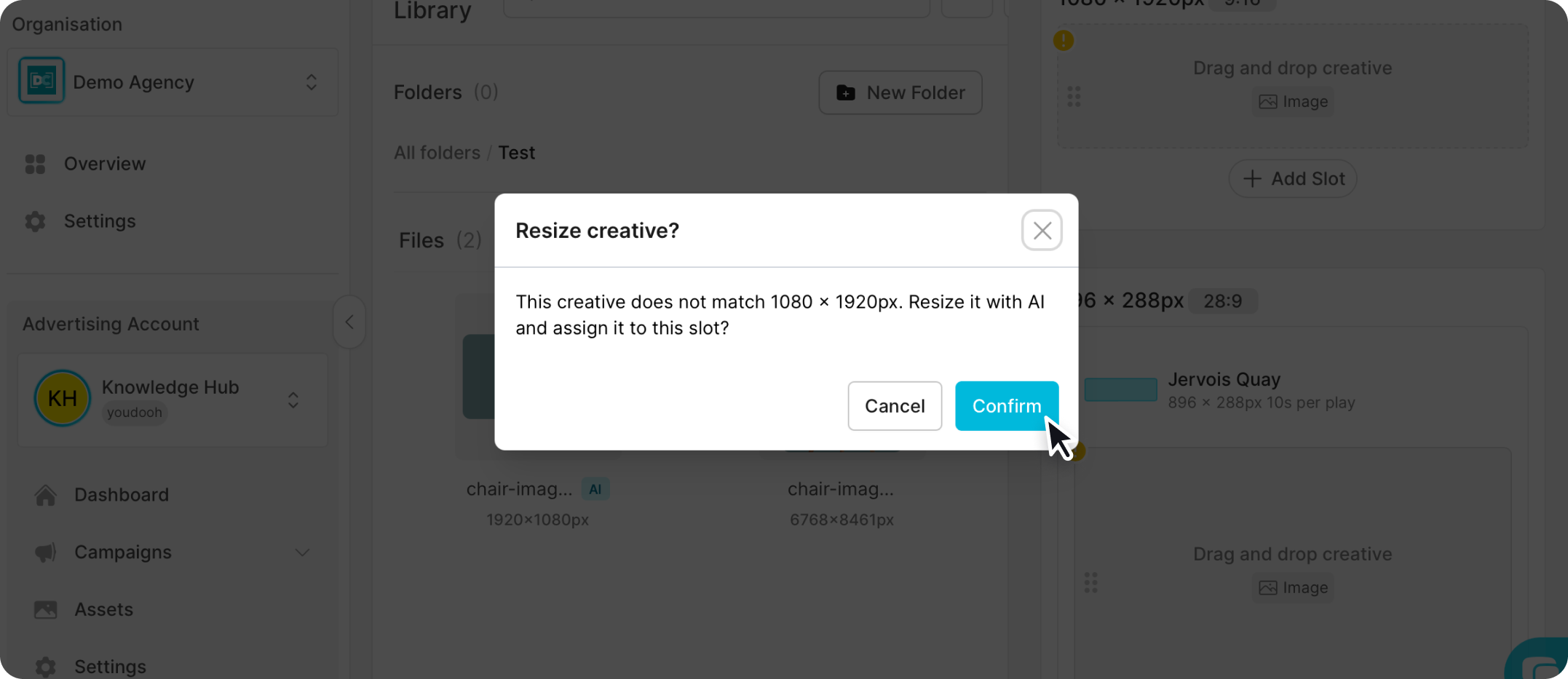
When the prompt appears, choose whether to AI resize the image.
Check the result
AI resizing is not perfect, so always check the resized image for imperfections before publishing.
If something's not right, you can regenerate the image. Include a short reason for the change so the model can produce a better result.