Setting up your billing account
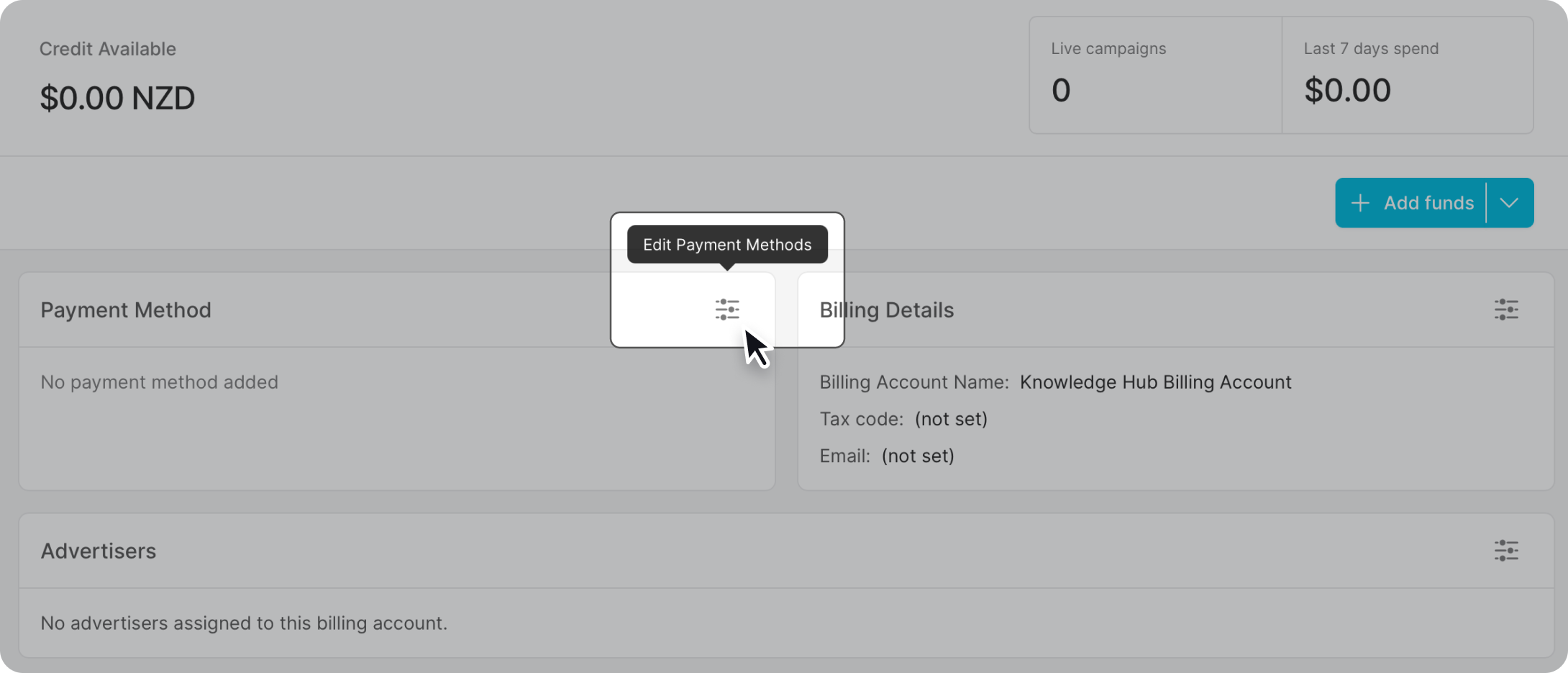
Go to Organisation Settings and select the Billing tab. Click "edit payment", then follow the steps to enter your payment details.
Manage billing
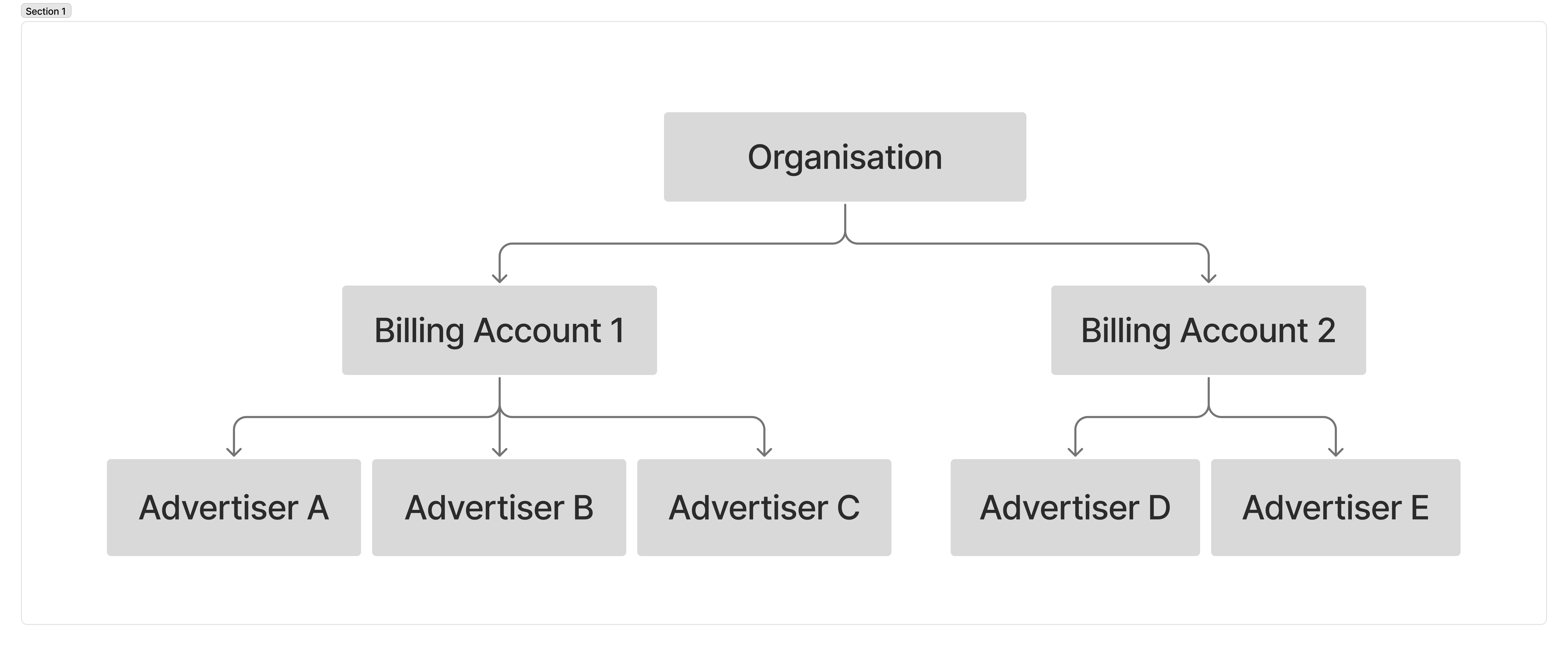
Once set up, you can see all advertiser accounts linked to your organisation billing as well as which payment methods they are using. An organisation billing account can be a single billing account assigned to all advertisers in the organisation, or you can create multiple organisation billing accounts and select which advertisers will use which billing account.
E.g., Billing Account 1 can be assigned to one group of advertisers, and Billing Account 2 can be assigned to a different group of advertisers.