

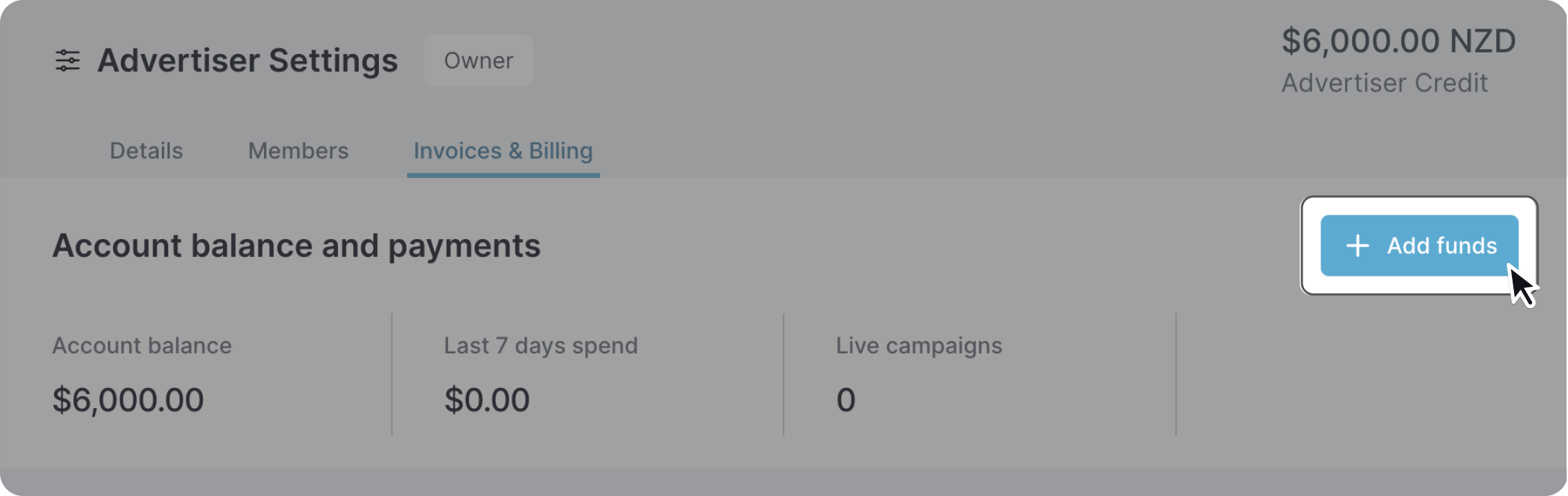
To top up your account, select the 'Invoices & Billing' tab in 'Advertiser Settings'. Press the 'Add funds' button'.
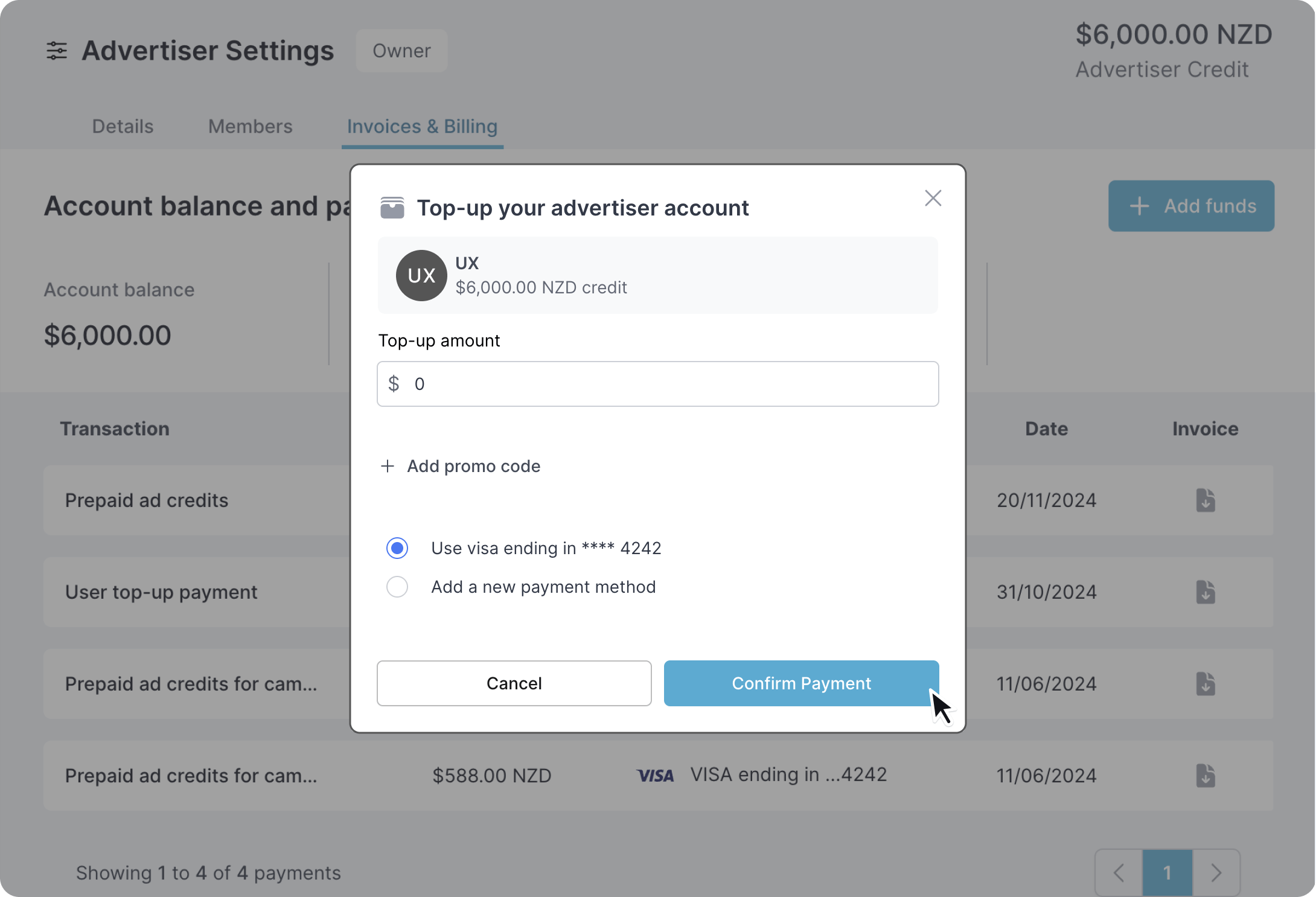
The popup modal allows you to select the top up amount as well as payment method.
You should receive a receipt after each top up, alternatively you can download your invoice at any time.