

Logo

What are you looking for?

detailed guides and answers to FAQs...

Edit Payment Details

Review and Pay

Edit Payment Details

Add, remove, and edit your payment details

Last updated on 29 Oct, 2025

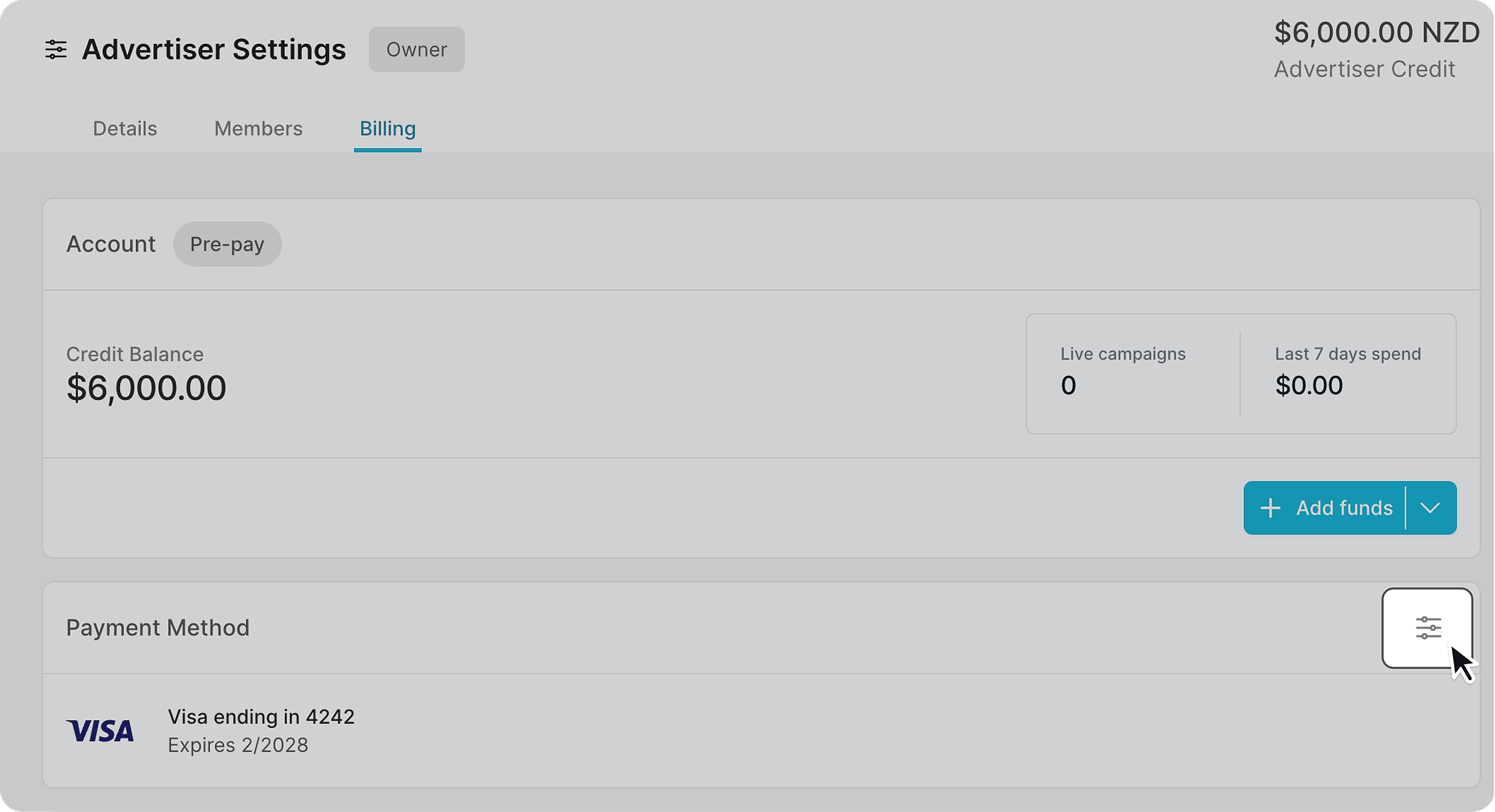
Locate the "Billing" tab in the advertiser settings page. Click on the edit icon in the "Payment Method" section.
Image


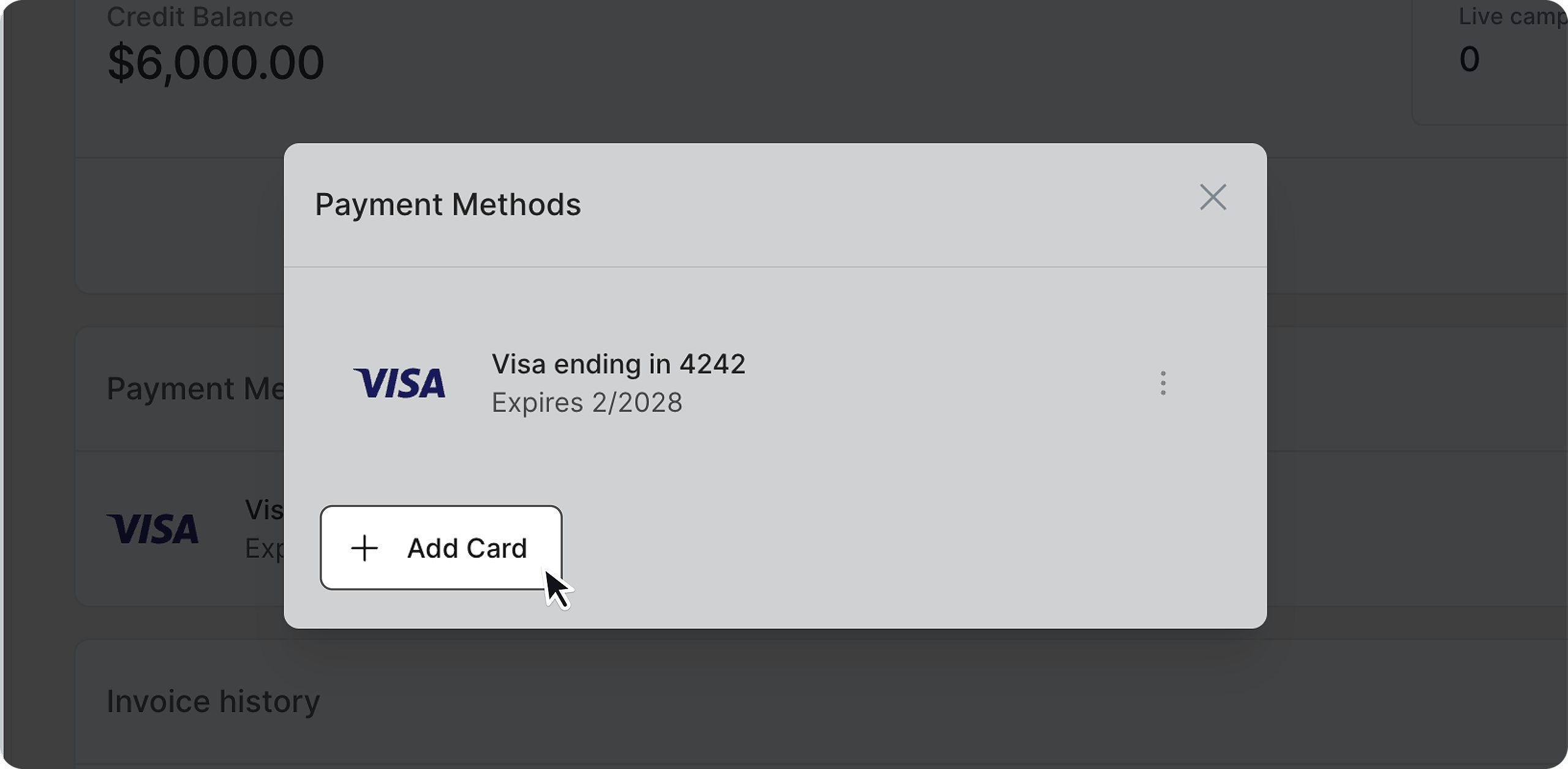
Add a new card 

Click "Add Card" and fill in your card details.
Image


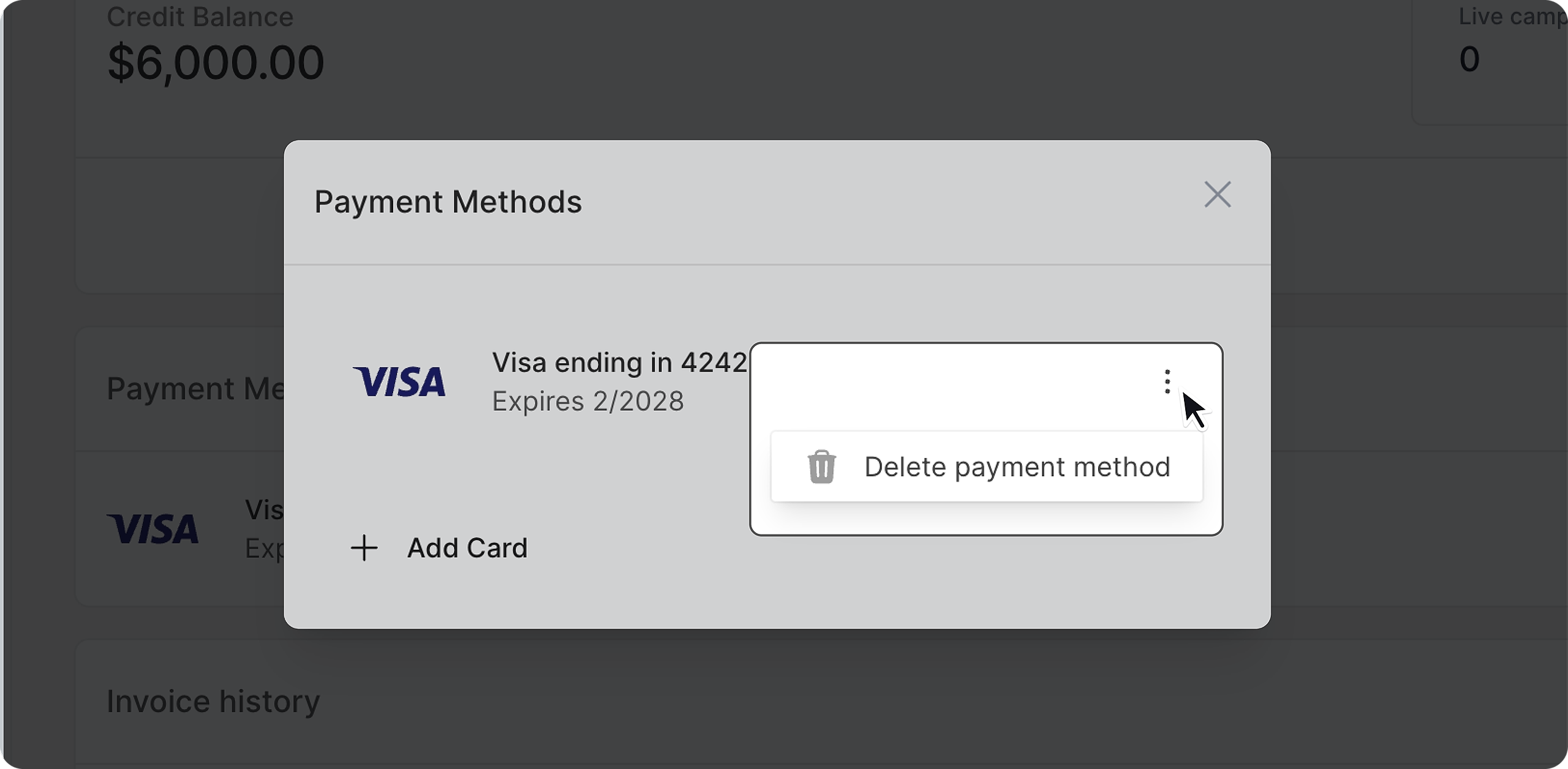
Remove a card 

Click on the three-dotted icon on the right side of your card and select "Delete payment method" 
Image
Did you find this article helpful?
Previous

Other useful information

Next